
Free tool · no sign-up
Roblox thumbnail preview & size checker
See your thumbnail on Roblox’s Home page, in Search and on a phone. Check its size and download a fixed copy. Free, no sign-up — your image never leaves your browser.
Want a new one? Make a thumbnail from your game
Drop a thumbnail here or paste with Ctrl+V
up to 5 to compare
1920×1080 JPG under 3 MB, named with its size. No sign-up. No watermark. Unlimited.
See it on RobloxExample games
Recommended For You
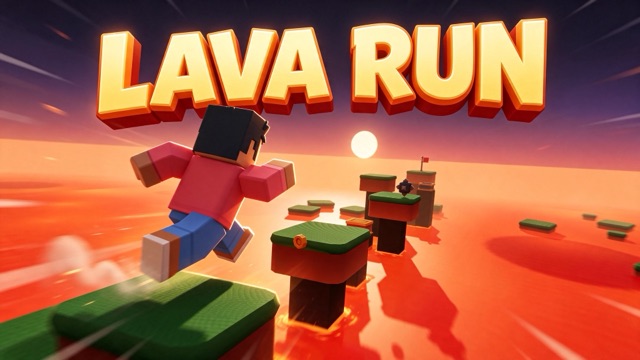
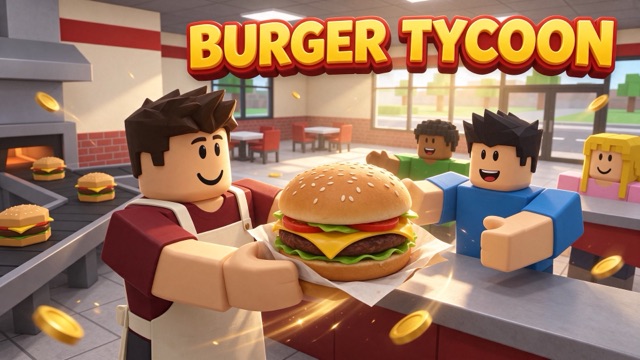
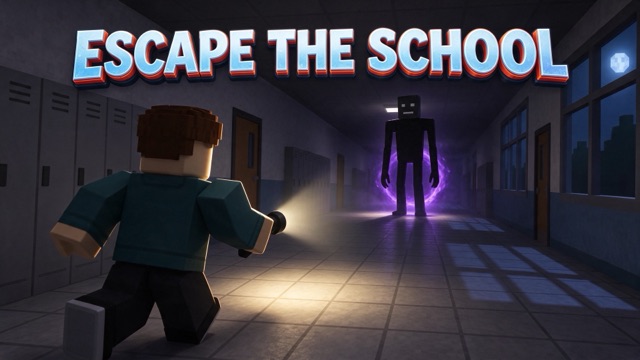
Roblox recommends keeping key words off the bottom edge of a thumbnail.
How to use it
How to use the Roblox thumbnail preview
- 01
Add your thumbnail.
Drop it in, paste it with Ctrl+V, or choose a file. Add up to 5 to compare them, the way Roblox tests 2–5 thumbnails.
- 02
Switch views.
Home, Featured, Search, Charts and your game’s page, in the phone app or on the desktop site, at real size.
- 03
Fix the size if needed and download.
The fixed copy is exactly 1920×1080, a JPG under 3 MB, named with its size.
What the size checker looks at
Shape: 16:9. Roblox’s Creator Docs say a thumbnail “should be 16:9 aspect ratio and ideally 1920×1080 pixels so that it always displays in high resolution across the Roblox site and app.” A thumbnail of another shape isn’t refused: “Displayed thumbnails will be stretched to 16:9 aspect ratio regardless of the upload’s aspect ratio.” A 4:3 or square image looks squashed on the page, so the preview stretches yours the same way.
Size: 1920×1080 pixels, the size Roblox names so a thumbnail “always displays in high resolution.” A smaller image looks soft on a big screen, and a larger one only adds weight. The checker reads the size from your file, not from its name.
File type: the docs list “.jpg, .gif, .png, .tga, or .bmp.” WebP, AVIF and HEIC aren’t on that list, and the checker reads what a file really is from its first bytes, so a WebP renamed to .png still shows as WebP.
Weight: under 3 MB. Roblox gives this limit in the steps for thumbnail personalization: “Make sure to keep these images under 3 MB and 1920×1080 pixels.” The checker counts 3 MB as 3,000,000 bytes, so a file it passes is under 3 MB however you count.
The bottom edge: Roblox recommends that you “avoid placing any essential text or elements at the bottom of the thumbnail, as it may potentially be covered by metadata like the player count.” Look at the bottom strip in the preview before you upload.
Your icon: an icon is “a template of 512×512 pixels,” and “icons scale down to smaller sizes like 150×150 pixels.” Add your icon to check its size and see it in Charts and on your game’s page.
Problems the checker finds most
A screenshot from a big monitor: a 2560×1440 or 3840×2160 capture is 16:9 but larger than 1920×1080. The fixed copy scales it down.
A PNG over 3 MB: PNG keeps every pixel exactly, so a detailed 1920×1080 PNG can weigh 5 MB or more. The fixed copy is a JPG, which is far lighter at the same size.
A phone screenshot: a phone turned sideways is wider than 16:9 (an iPhone’s screen is about 19.5:9), so Roblox would stretch it. The fixed copy keeps the middle 16:9 part.
A WebP from a website: images saved from the web are often WebP, which Roblox doesn’t list. Renaming the file doesn’t change what it is; the fixed copy is a real JPG.
What the fixed copy changes
The fixed copy is made in your browser with the same code Tilebolt uses for its own exports. If your image isn’t 16:9, it keeps the middle 16:9 part. It scales that to exactly 1920×1080 and saves a JPG under 3 MB, lowering the JPG quality only as far as it has to.
Nothing else changes: no filters, no AI, no watermark. A file smaller than 1920×1080 is enlarged, which can’t add detail; if you have a bigger original, use that. The file keeps your name and gets its size, like burger-tycoon-1920x1080.jpg.
See your thumbnail among other games
The Roblox thumbnail preview puts your thumbnail where players meet it: Roblox’s Home page, Featured, Search and Charts, and your game’s page, in the phone app or on the desktop site. The layouts were measured on roblox.com and in the iOS app, and the preview says how far it scaled the scene to fit your screen; Real size opens it at 100%.
Add 2–5 thumbnails and turn on Compare all to see them side by side, the way thumbnail personalization rotates them. Around yours are today’s top games on Roblox, read from Roblox’s charts once an hour, with their own ratings and player counts; pick a genre to see yours among its games. Your own tile shows “—”: we don’t make numbers up. Export preview saves the scene as a PNG, free and unmarked.
Want a new thumbnail?
Tilebolt makes Roblox thumbnails and icons from your own screenshots, at exactly 1920×1080 and 512×512, with this preview built in. 6 free credits after you sign up. Make a thumbnail from your game or read the Roblox thumbnail size guide.
FAQ
Thumbnail preview questions
Does my image get uploaded?
No. The checks, the preview and the fixed copy are made in your browser. Your image never leaves your computer, and there is nothing to sign up for.
Is the Roblox thumbnail preview free?
Yes. No sign-up, no watermark, no limit. The fixed copy and the preview PNG are free too.
What size should a Roblox thumbnail be?
16:9, ideally 1920×1080 pixels, and under 3 MB for thumbnail personalization. A game icon is 512×512.
What does the fixed copy change?
It keeps the middle 16:9 part of an image that isn’t 16:9, scales it to exactly 1920×1080 and saves a JPG under 3 MB. Nothing is redrawn.
What happens if my thumbnail isn’t 16:9?
Roblox stretches it to 16:9, so it looks squashed or pulled. The preview shows it stretched; the fixed copy crops the middle 16:9 part instead.
Does Roblox accept WebP thumbnails?
No. Roblox takes JPG, GIF, PNG, TGA or BMP. The fixed copy turns a WebP into a JPG.
Can I check my game icon too?
Yes. Add your icon to see it in Charts and on your game’s page, and to check that it is 512×512.
Is this tool made by Roblox?
No. Tilebolt is an independent tool. It is not affiliated with, endorsed by, or sponsored by Roblox Corporation.